[How-to] Move your cockpit screens to the tablet with one tap (Auto pop-out) 中文

[Tips]Several screens in one aircraft: switching on the tablet

The tablet's "Avionics" page lists the panels this aircraft has (PFD, MFD, GTC, FMS…).

Tap a panel to switch to it. Each panel shows its screen together with its physical keys, laid out like the cockpit.

With Pro, each tablet can show its own screen, for example the PFD on an iPad and the GTC on a phone.
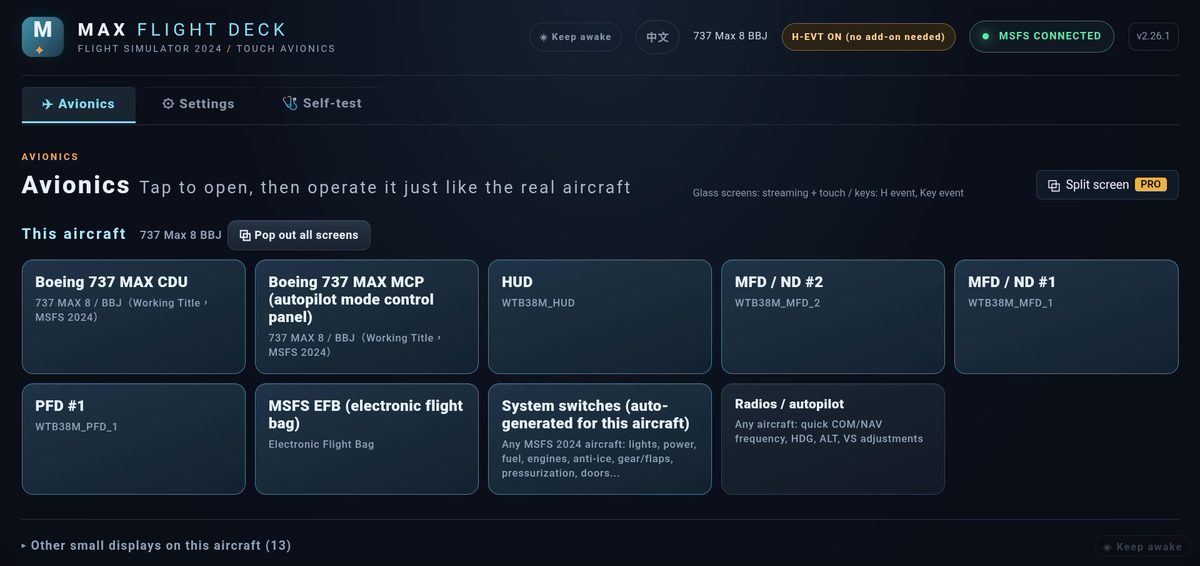
The 737 MAX avionics list: CDU, MCP, PFD, ND, EFB and switches

Further reading

[How-to] Turning knobs: outer ring, inner ring, push

A dual concentric knob on an avionics panel is a circle on the tablet.

  1. Circle your finger around the outer ring = coarse adjustment (for example MHz, or heading in 10° steps).
  2. Circle near the center = fine adjustment (for example kHz, or heading in 1° steps).
  3. Tap the center = PUSH (press the knob).

The faster you turn, the bigger the jumps, just like a real knob.