[How-to] Move your cockpit screens to the tablet with one tap (Auto pop-out) 中文

[Troubleshooting]Seeing "The Free plan allows only 1 tablet or browser at a time"

Another device (or another tab on the same device) is using Flight Deck.

  1. To use it on this device instead, press "Use on this device instead".
  2. If the other device isn't in use any more, close that tab or lock its screen; this device connects automatically after 15 seconds.
  3. To use several devices at once, upgrade to Pro.
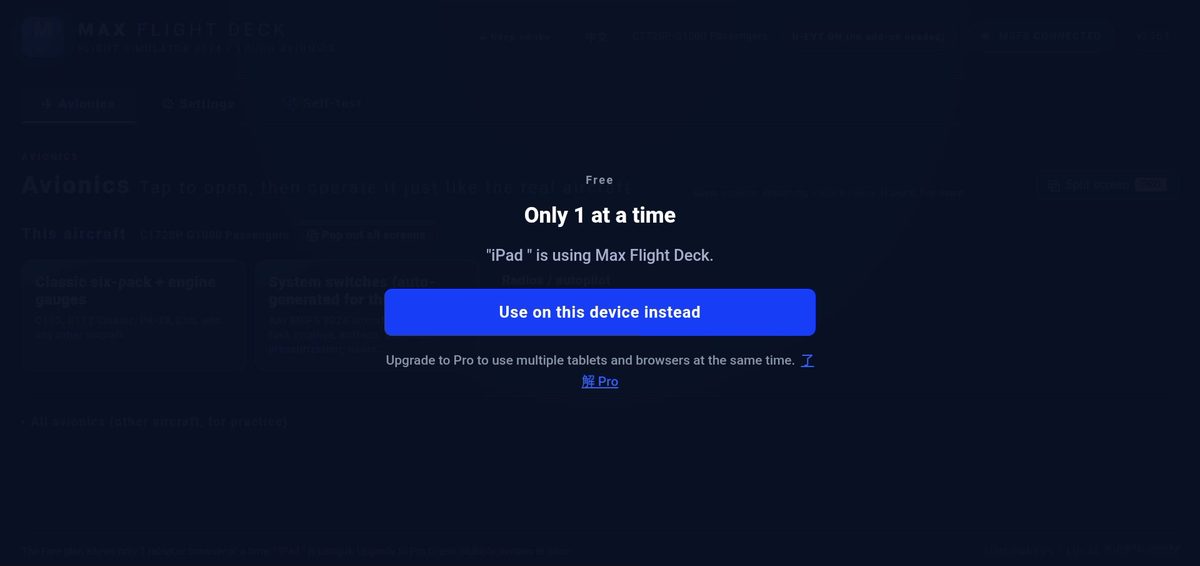
Tap "Use on this device instead" to move here

Further reading

[Tips] Use "Borderless window" display mode in MSFS

In "Full screen" mode, MSFS minimizes itself as soon as you switch to another program, and Windows hides the pop-outs along with it.

Flight Deck shows the pop-outs again in the background so streaming continues, but borderless window mode is the most reliable.

Where to set it: MSFS → Settings → Display → Display mode → Borderless window.