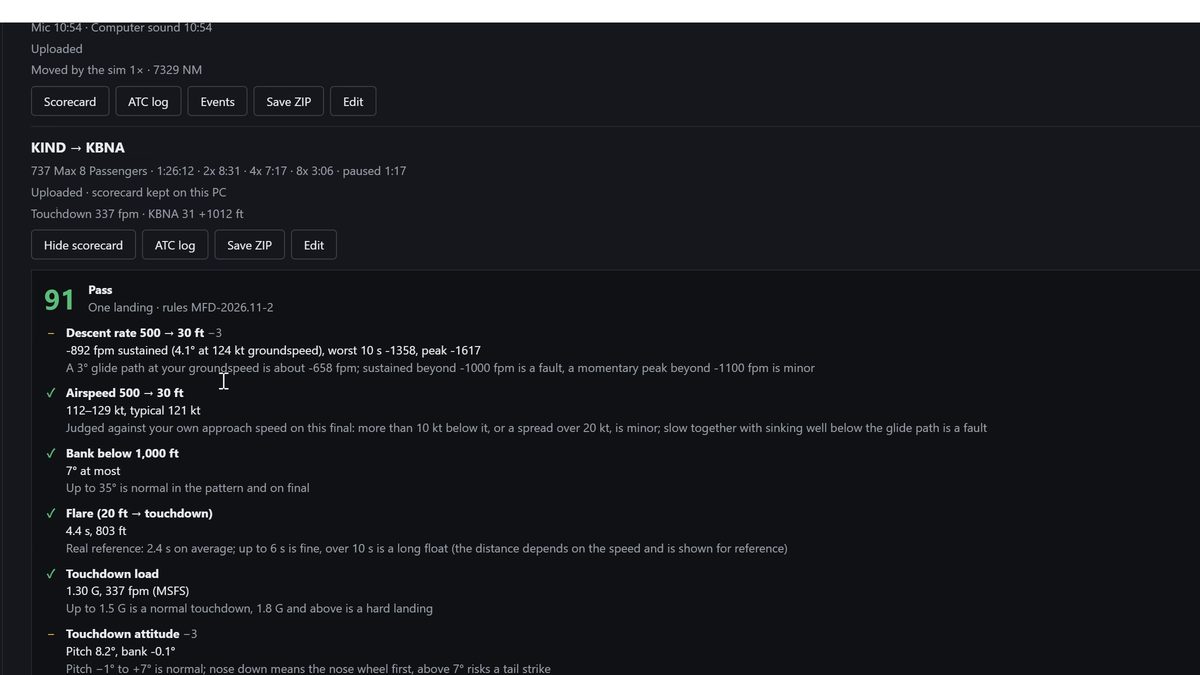
Every flight is recorded by itself and gets a landing scorecard. For a fuller debrief, save the whole flight as one ZIP and hand it to an AI.
In the PC window, open Flights, find the flight and tap Scorecard to see how the landing went.
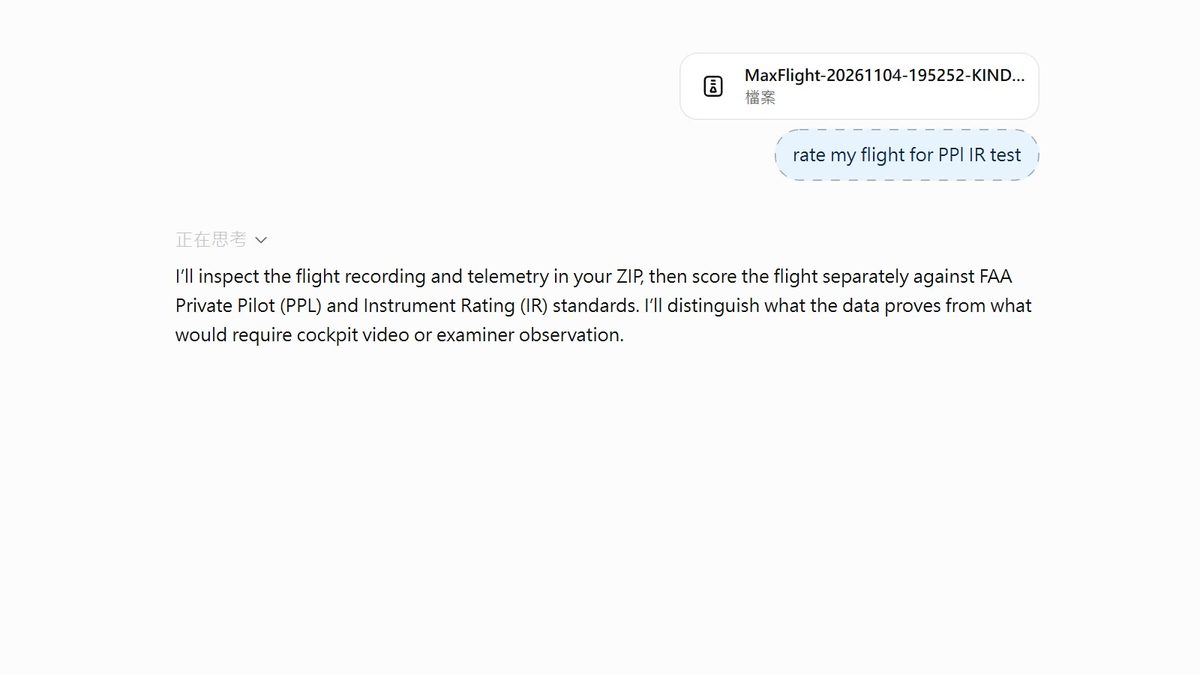
Tap Save ZIP and choose a folder. The ZIP holds the telemetry, the scorecard, the ATC log and a guide for the AI.
Open ChatGPT, Claude or Gemini, drop the ZIP into the chat and say what you want, for example "Debrief this flight against the private pilot checkride standards".
An AI's score is a training reference, not an official checkride result. Saving a flight as a ZIP is a Pro feature.
The Flights tab: the scorecard and the Save ZIP buttonThe ZIP dropped into ChatGPT with a request for a debrief
You used to hold Right Alt and click the screens one at a time. Now it takes one button.
In MSFS, go to the cockpit view with the avionics powered on (the screens show a picture).
On the tablet, tap "⚡ Auto pop-out", or on the PC main window's "Aircraft" tab, press "Pop out all".
The program pops each screen out into its own window and starts streaming it to the tablet automatically, so you don't have to pick windows on the tablet.
It takes about 3–6 seconds. While it runs, a progress bar appears at the top of the PC screen; move the mouse, or tap "Cancel" on the tablet, to stop it.
If a screen isn't in the current camera view, the program turns the view to look for it. If it really can't find it, it tells you which one.