[How-to] Move your cockpit screens to the tablet with one tap (Auto pop-out) 中文

[How-to]Move your cockpit screens to the tablet with one tap (Auto pop-out)

You used to hold Right Alt and click the screens one at a time. Now it takes one button.

  1. In MSFS, go to the cockpit view with the avionics powered on (the screens show a picture).
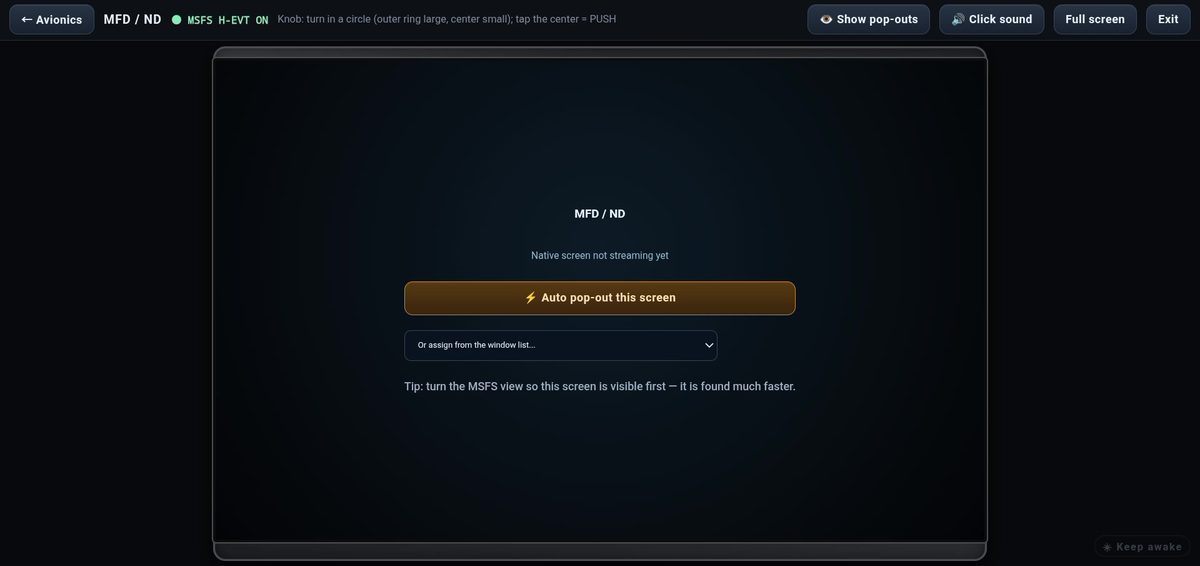
  2. On the tablet, tap "⚡ Auto pop-out", or on the PC main window's "Aircraft" tab, press "Pop out all".
  3. The program pops each screen out into its own window and starts streaming it to the tablet automatically, so you don't have to pick windows on the tablet.

It takes about 3–6 seconds. While it runs, a progress bar appears at the top of the PC screen; move the mouse, or tap "Cancel" on the tablet, to stop it.

If a screen isn't in the current camera view, the program turns the view to look for it. If it really can't find it, it tells you which one.
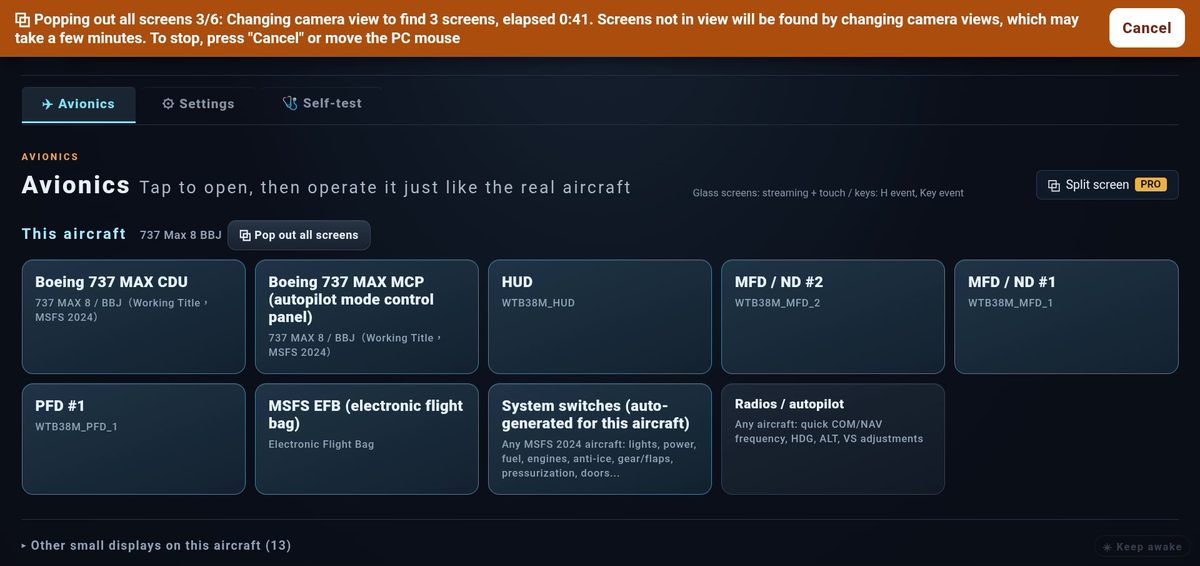
Auto pop-out in progress: the orange bar on the tablet; tap Cancel to stop anytime
When a screen is still being searched for, the tablet shows which one; tap Stop searching

Further reading

[Troubleshooting] I bought Pro, but the program still shows Free

Pro is confirmed with the server every time the program starts and kicks in within a few seconds.

  1. Make sure "Settings → Max account" is signed in with the account you paid with.
  2. Make sure the PC can reach the internet. If it can't reach the license server, Pro keeps working for 24 hours, then falls back to Free and comes back automatically once the PC is online again.
  3. Still no change? Close the program and open it again.